Everything your logbook needs. Nothing it doesn't.
From the first kilometre to the report you hand your tax agent. Logkeep works on iPhone (iOS 16.4 or newer) and Android (Android 7 or newer). The few iPhone-only bits are marked.
Smart tracking
It knows a drive from a drop-off.
It starts when you start and stops when you stop. Your hands stay on the wheel.
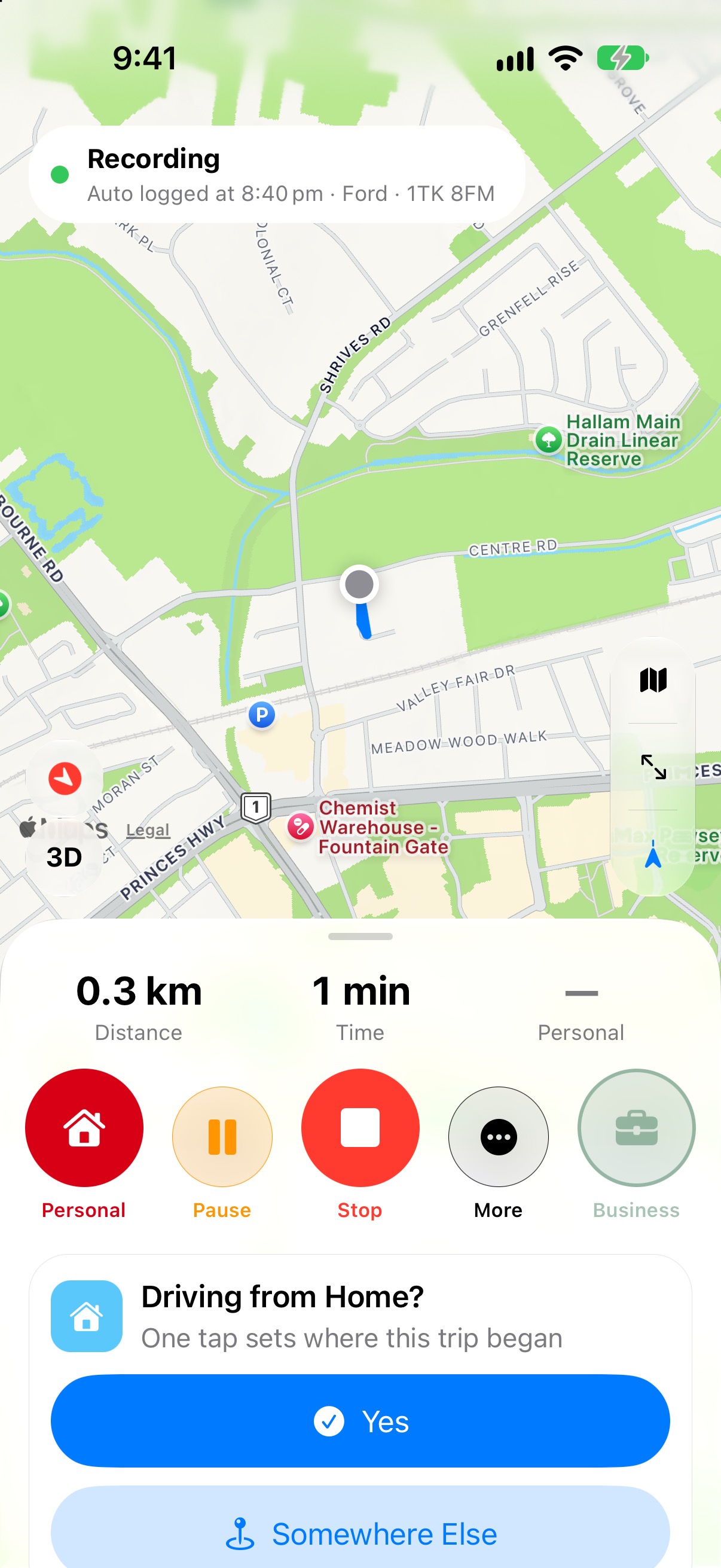
A self-starter.
Logkeep starts once you're moving at driving speed, so sitting in the car park doesn't start a trip.
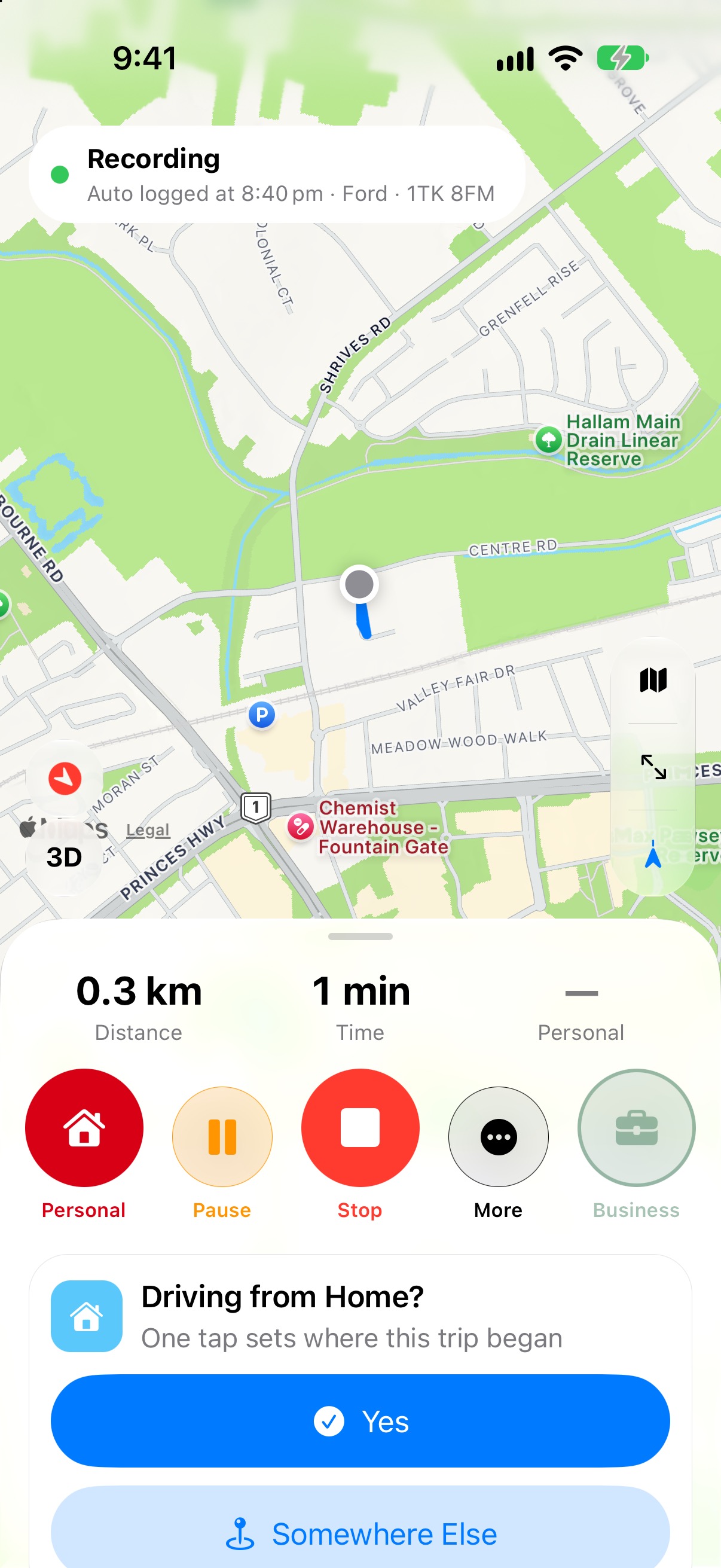
On the record, all the way.
The route builds as you go, in the background. Allow location All the time so it can.
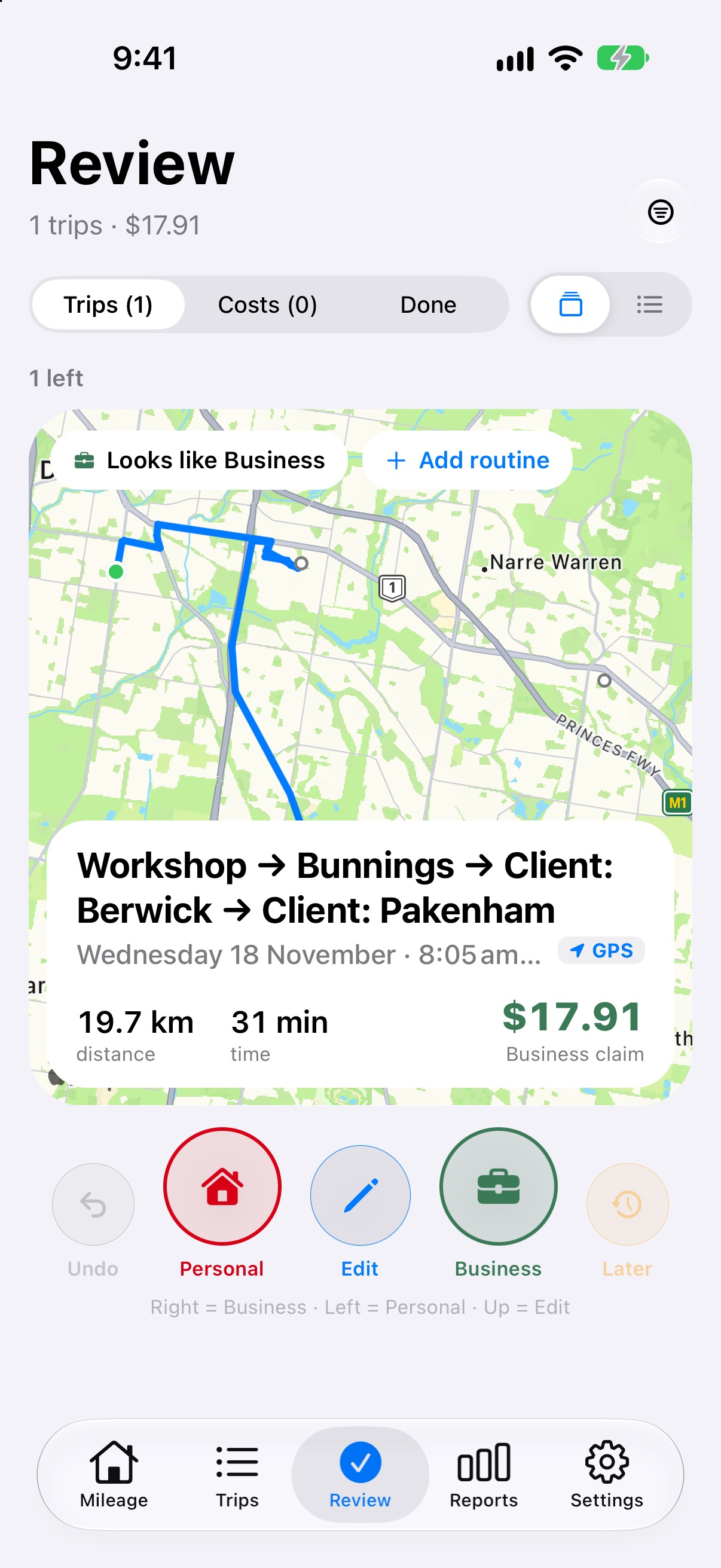
Every stop, one trip.
The client visit, the servo and the coffee run stay marked as stops inside one drive. Nothing to stitch back together.
- Starts once you're moving at driving speed, so sitting in the car park doesn't start a trip.
- Allow location All the time (Always on iPhone) so Logkeep can record in the background.
- Logkeep can also watch your car's Bluetooth, and CarPlay on iPhone. It helps end the trip when you leave the car.
- Catches the stops inside a trip, like the daycare drop-off or a pit stop.
- Asks one quick question when it isn't sure, like "Making a pit stop?"
- Ends the trip after a set time parked. You choose how long.
- Holiday mode and work hours let you choose when it records.
- On iPhone, start a trip from a Home Screen or Lock Screen widget, or from a Shortcut. Name the Shortcut and you can say it to Siri.
iPhone only: the Lock Screen Live Activity, Lock Screen widgets, Shortcuts and CarPlay. Everything else, including receipt reading, car Bluetooth and Home Screen widgets, is on iPhone (iOS 16.4 or newer) and Android (Android 7 or newer).
On iPhone, the trip also shows on your Lock Screen and in the Dynamic Island while you drive.
The first kilometre counts too
Starts where you parked. Not down the street.
Some trackers only start once they notice you're moving. By then you can be down the street, and that first stretch can go missing from your claim. Logkeep knows where you parked and starts the trip there.
Recorded vs your edits
Self-correcting. You have the final say.
Every trip keeps what the GPS recorded next to the trip as it is now. Logkeep shows you what it changed, and you confirm. Switch back any time.
Smart logging
It learns your week.
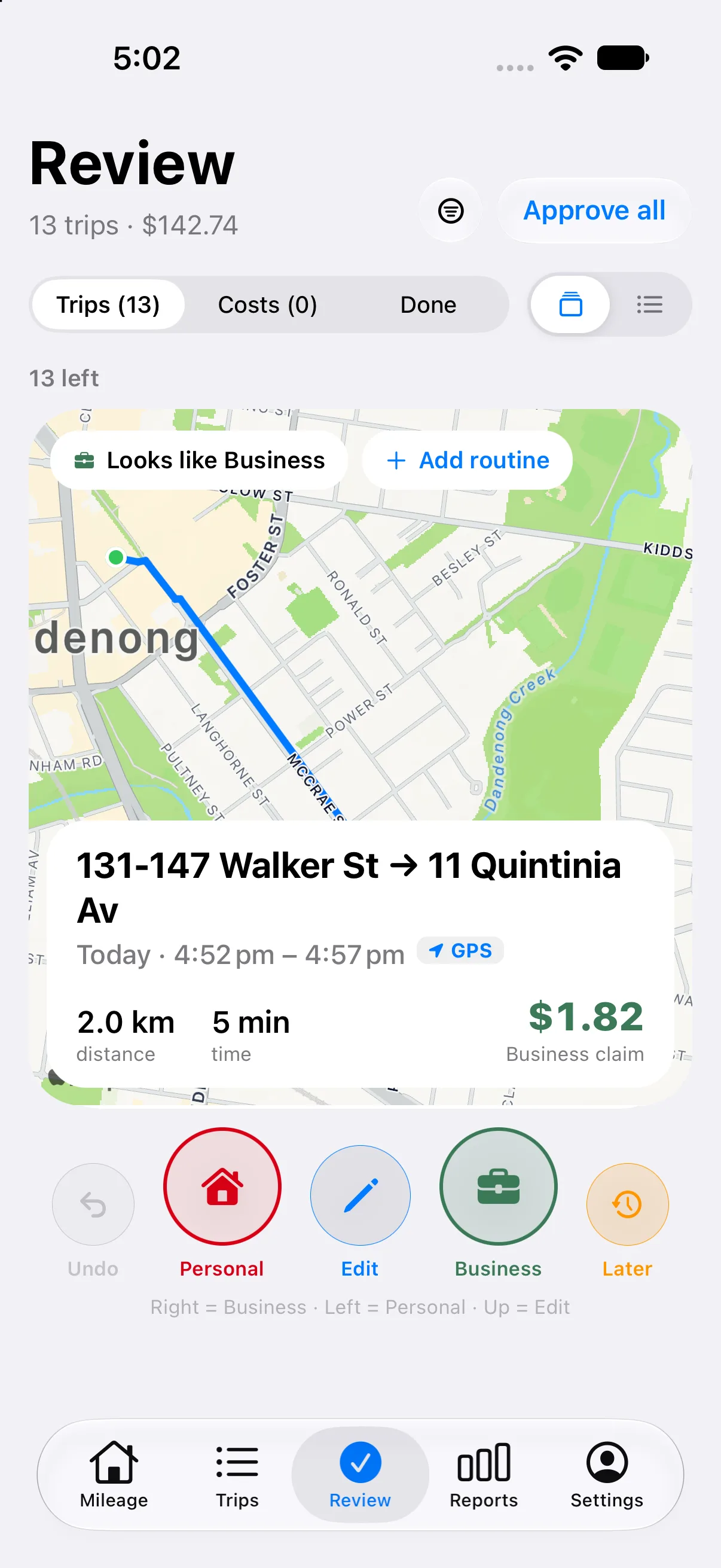
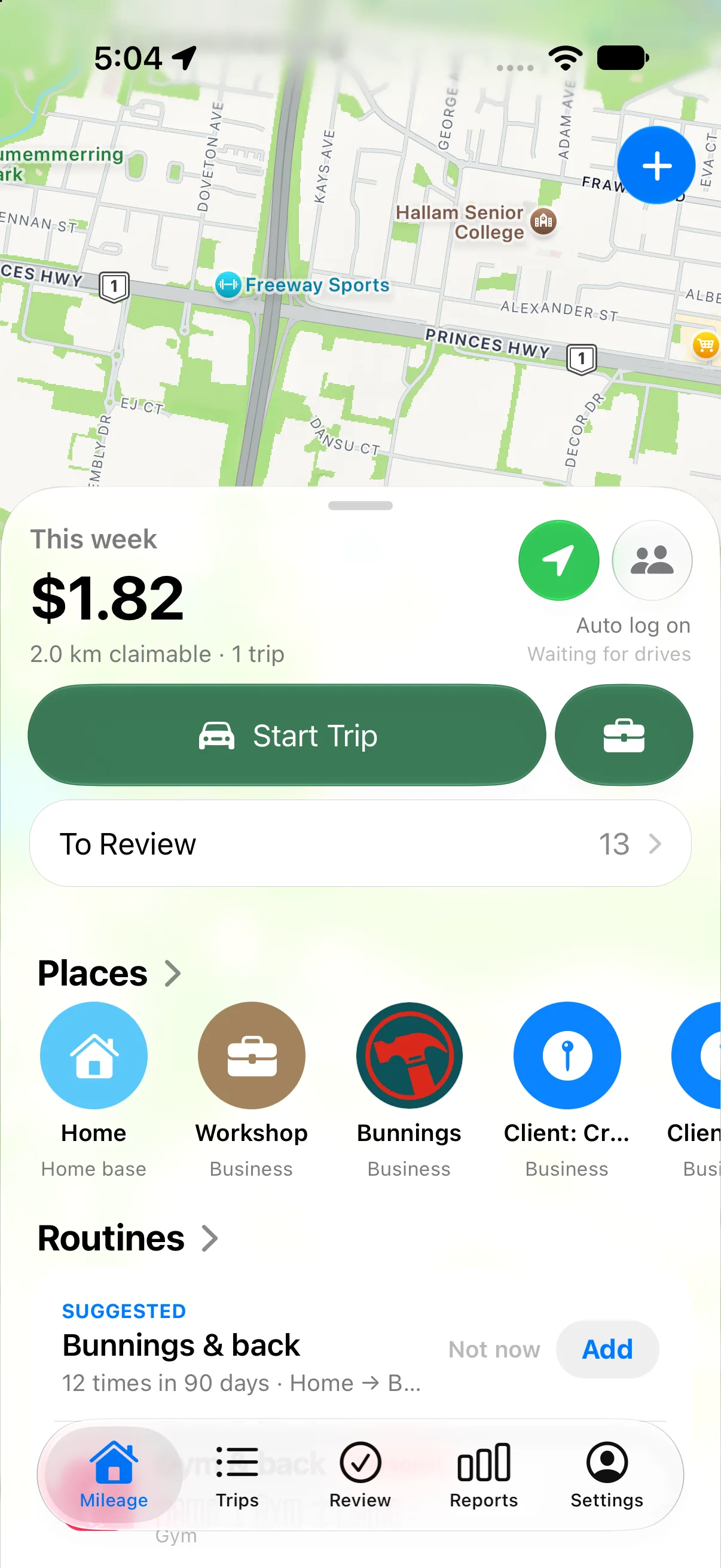
A trip without a label gets left out of your claim. Logkeep suggests Business or Personal from your places, work hours and past trips. You confirm it, so approving your week takes a minute.
- Label a route a couple of times, or save it as a routine, and Logkeep fills in the purpose after that.
- Swipe right for Business and left for Personal in Review Cards. Or select a few trips and approve them together.
- Routines are set and forget: save a regular drive once, and Logkeep offers it the next time you drive it.
- "Always use this purpose for this place."
- Home to work is treated as a private commute unless your home is a place of work. Check your own case with your tax agent.
- Logkeep Merge spots trips split by a short stop and offers to join them, or merges them for you, with undo. It's experimental. On your phone, you can also split, merge or redraw a trip on the map.
- Approve the whole week in one tap.
- Save your regular places and tell Logkeep what they mean. Logkeep already knows big chains like Officeworks and Macca's.
- Deleted trips go to Recently deleted. Restore them any time.
One app for the whole car.
Retire the logbook app, the receipts app, the fuel app and the spreadsheet.
- Trips and kilometres
- Parking and tolls on each trip. Tolls are an estimate unless you enter them.
- Fuel and EV charging
- Servicing, repairs and rego
- Odometer readings
- Receipts: snap the photo and Logkeep reads it, on iPhone and Android.
- Your own cost types, with Meals and Supplies built in
- Reimbursed by work, tax return or not claimed, set for each cost type
- Import your old trips from Driversnote, MileIQ, Everlance or a CSV file
- Every vehicle you drive
- Desktop logbook at web.getlogkeep.com. Sign in with the same account.
At tax time, your trips and trip costs come out in one report.
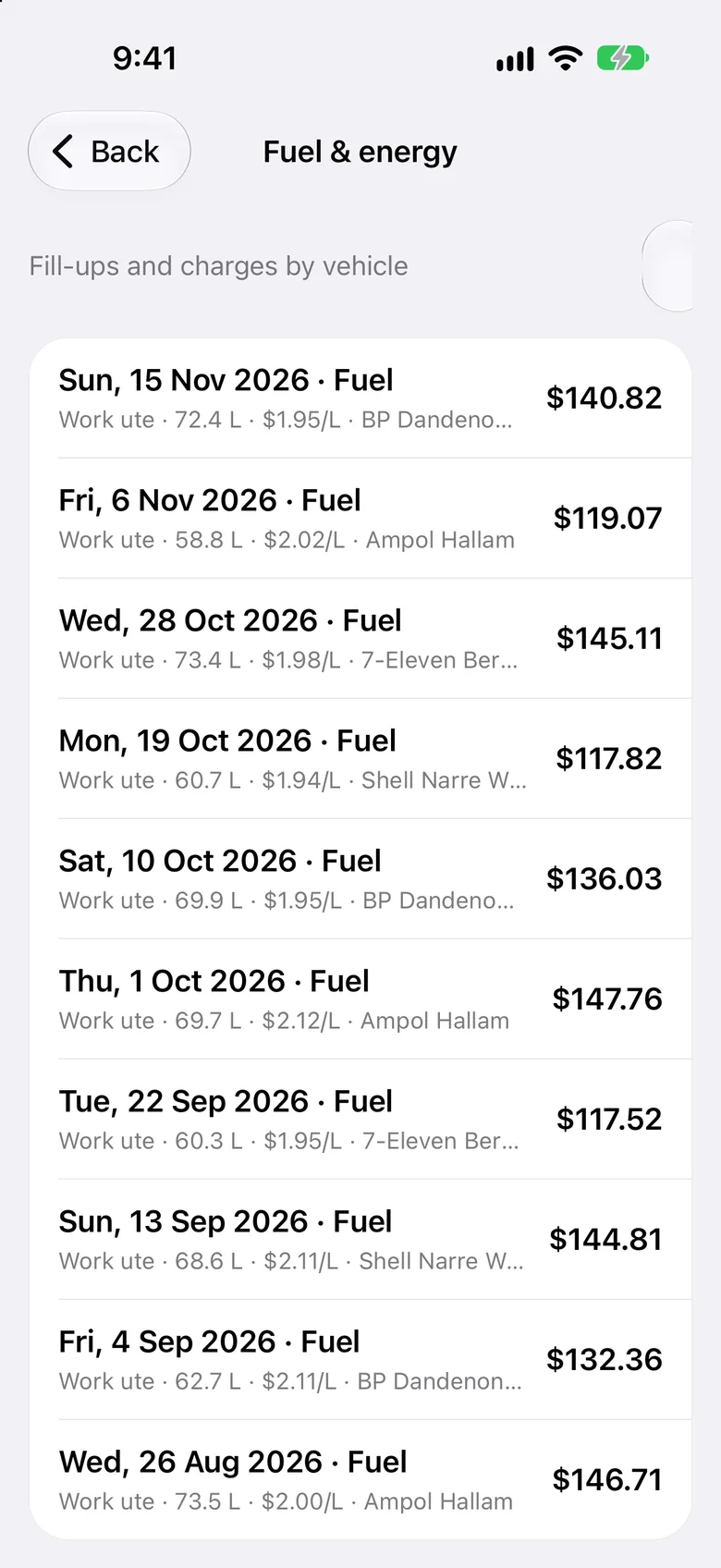
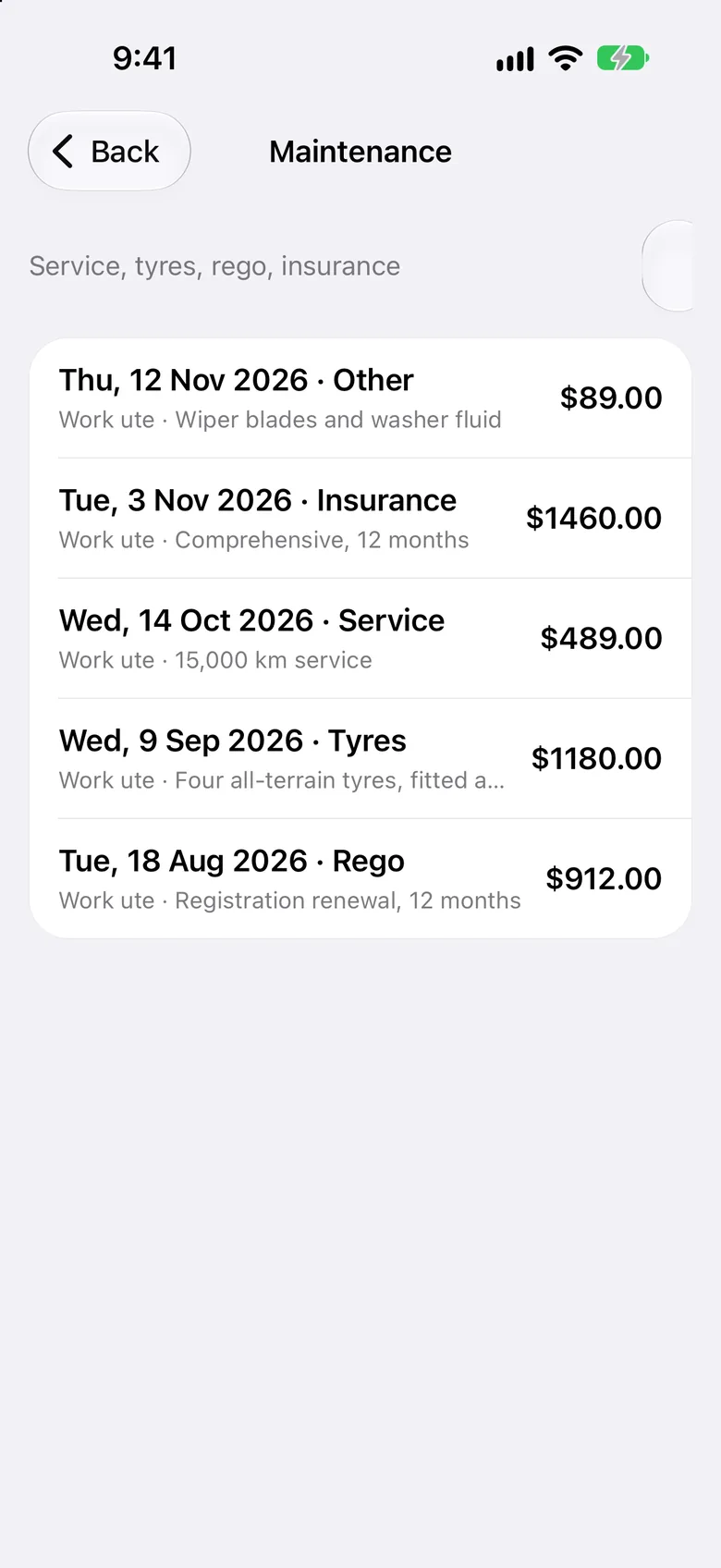
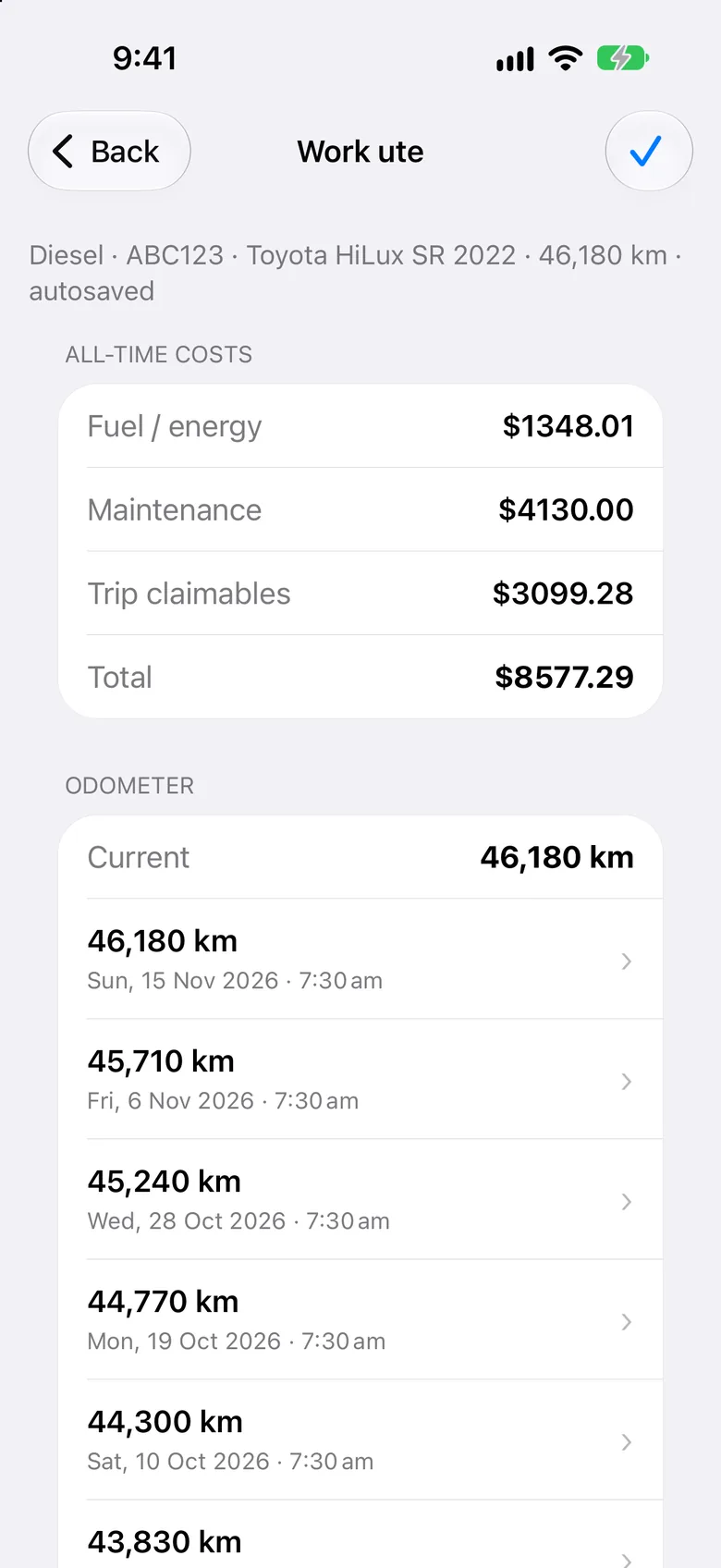
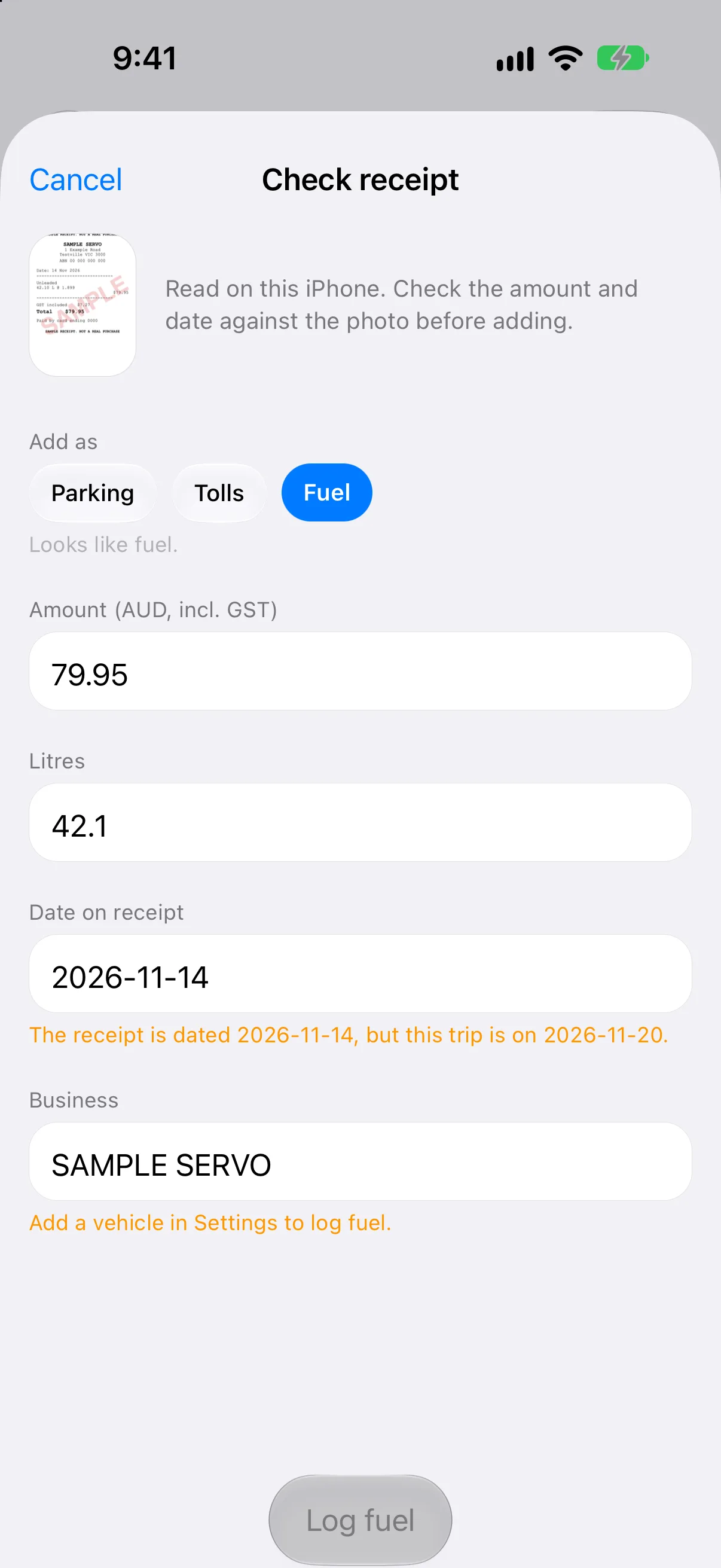
Receipt reading works on iPhone (iOS 16.4 or newer) and Android (Android 7 or newer).
Tax time and reimbursements
A clean logbook when you need it.
- Watch your claim grow with every drive, at the ATO rate for the right income year.
- Logkeep shows the 5,000 km cap in your rate settings and flags it in your PDF report when a car goes over.
- On your phone, make reports for any date range. They include stops, your business name and ABN.
- PDF or CSV from your phone, and PDF, CSV or Excel from the desktop logbook. CSV files laid out for accounting software.
- The 12-week logbook report on your phone: business-use percentage, odometer start and end, and an edit log. It covers your last 12 weeks.
- Choose how each type of cost is treated: your tax return, reimbursed by work, or not claimed.
Less labelling, more driving.
Labelling every trip by hand gets old. Logkeep does the first pass. You do the swipe.
- Records each drive on its own once you're driving at real speed.
- Suggests Business or Personal from your places, work hours and past trips.
- Swipe right for Business, left for Personal, or approve the week in one tap.
When tax time comes, or work asks for your claim, your logbook is already clean.
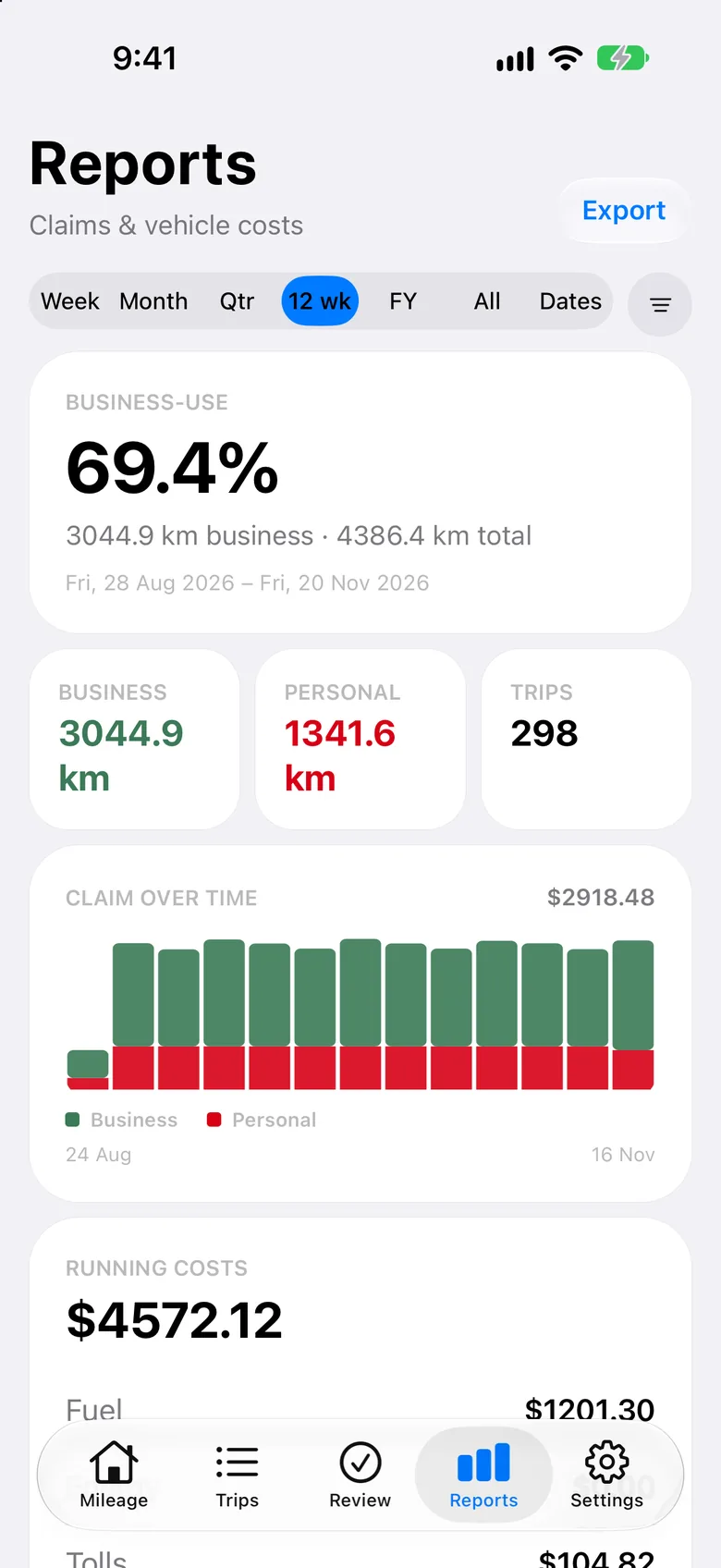
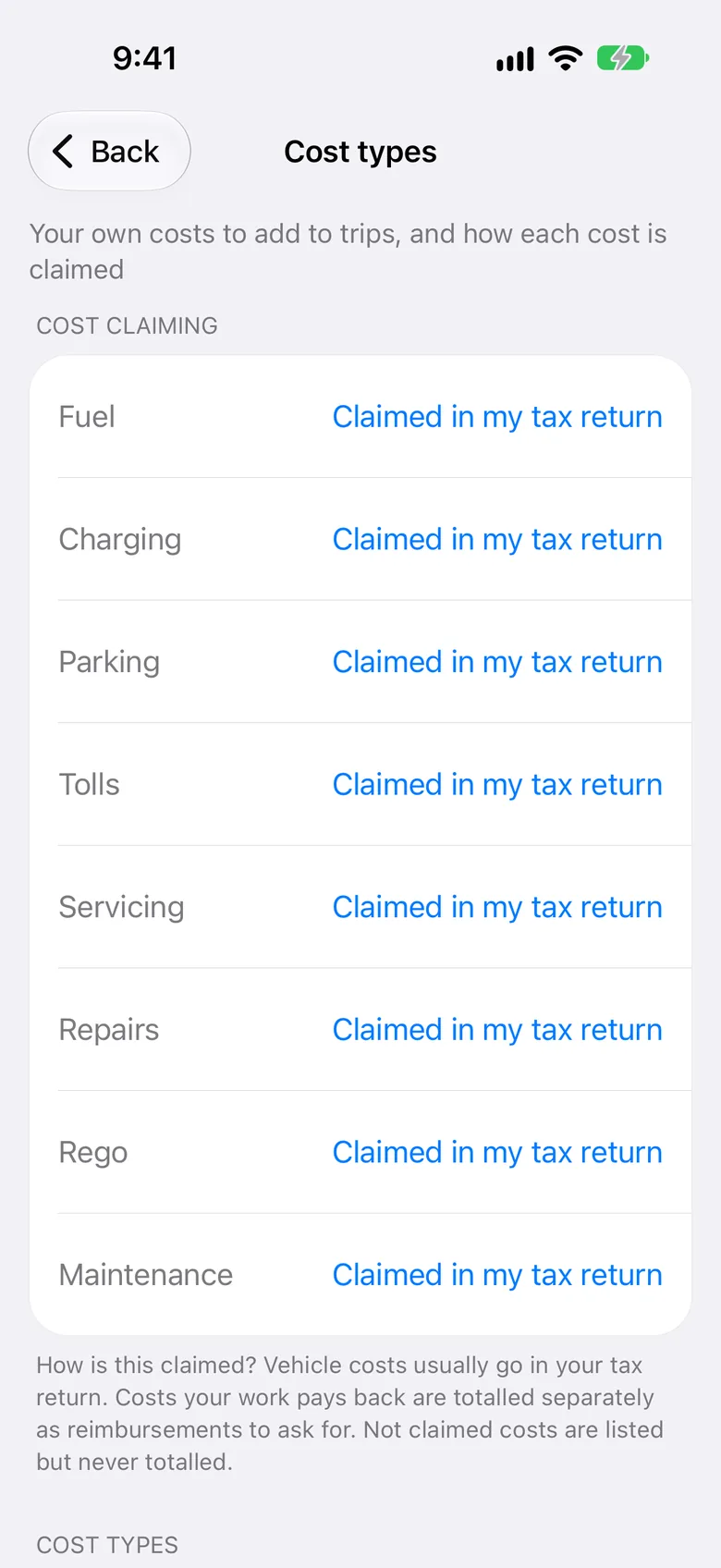
Built for Australia. Properly.
Made here, for the way we drive and the way the ATO counts it.
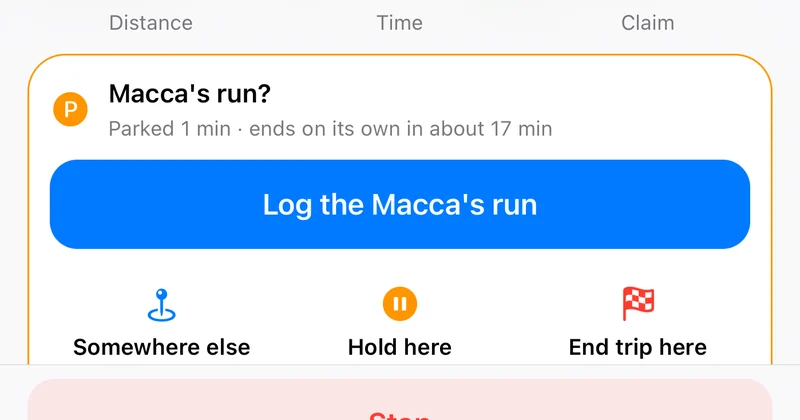
It speaks Aussie
Stop at a place you've saved, like Bunnings or Macca's, and Logkeep asks "Bunnings run?". On iPhone and Android.
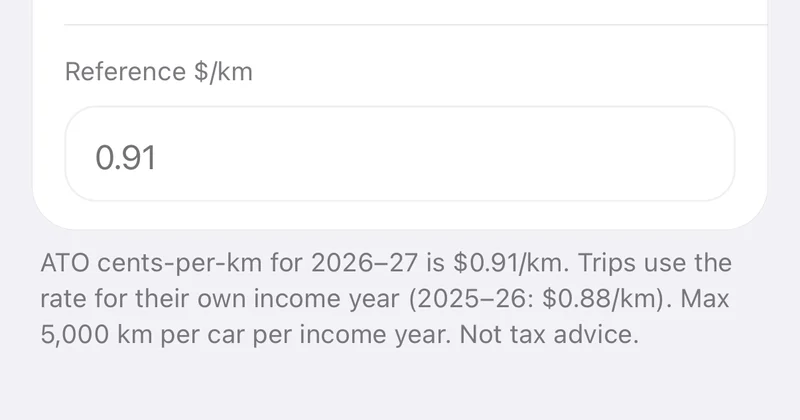
ATO rates by income year
Each trip uses the cents-per-km rate for its own income year. The 5,000 km cap is per car, per year, and Logkeep flags it in your PDF report.
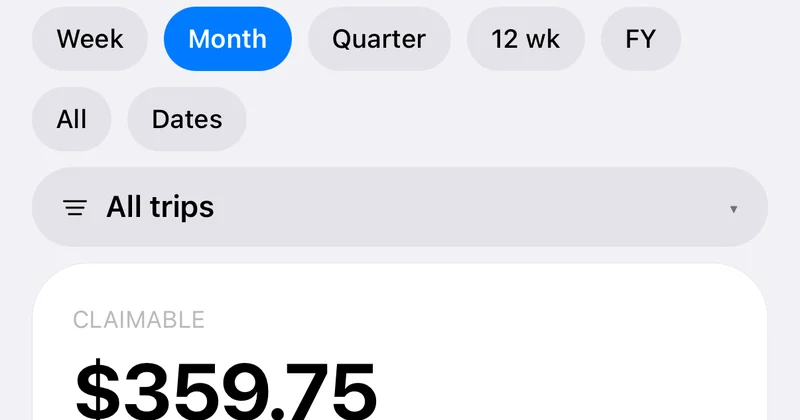
BAS quarters and July to June
On your phone, report by week, month, BAS quarter dates, the 12-week logbook period or the financial year.
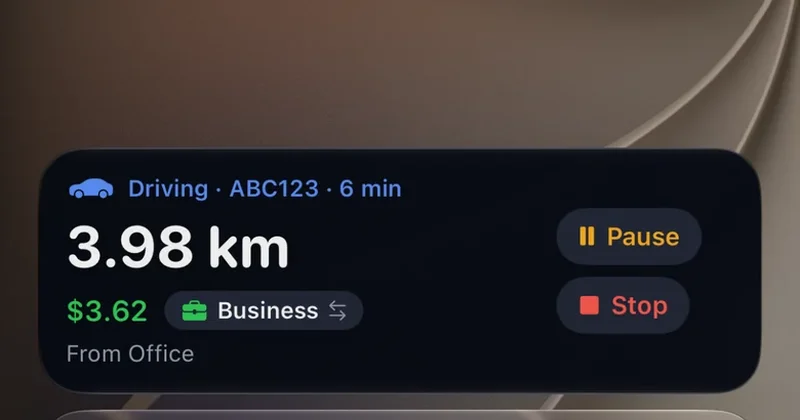
Your rego on every trip
Your rego shows on every trip and in your reports. On iPhone it also shows on the Lock Screen while you drive.
- Kilometres, dollars and the July to June financial year
- You own your data and can delete your account in the app
The ATO doesn't endorse apps. Logkeep keeps the records the rules ask for, and your tax agent has the final word.
The bigger picture.
Edit a trip's purpose and stops on the map, run a financial-year trip report as PDF, Excel or CSV, and see what each car costs, all from your desk at web.getlogkeep.com. Trips, costs and settings sync with your phone. Receipt photos stay on the phone.
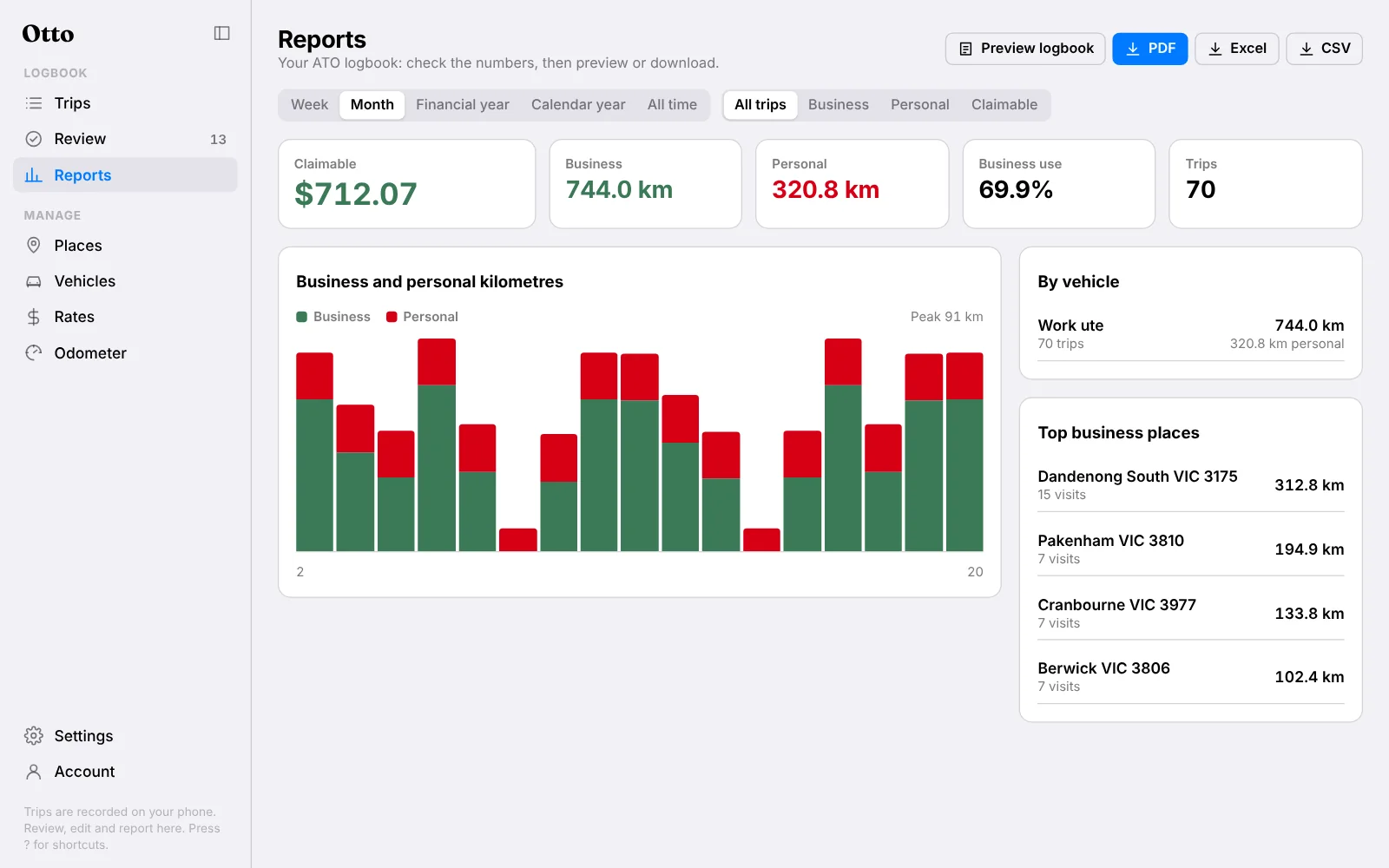
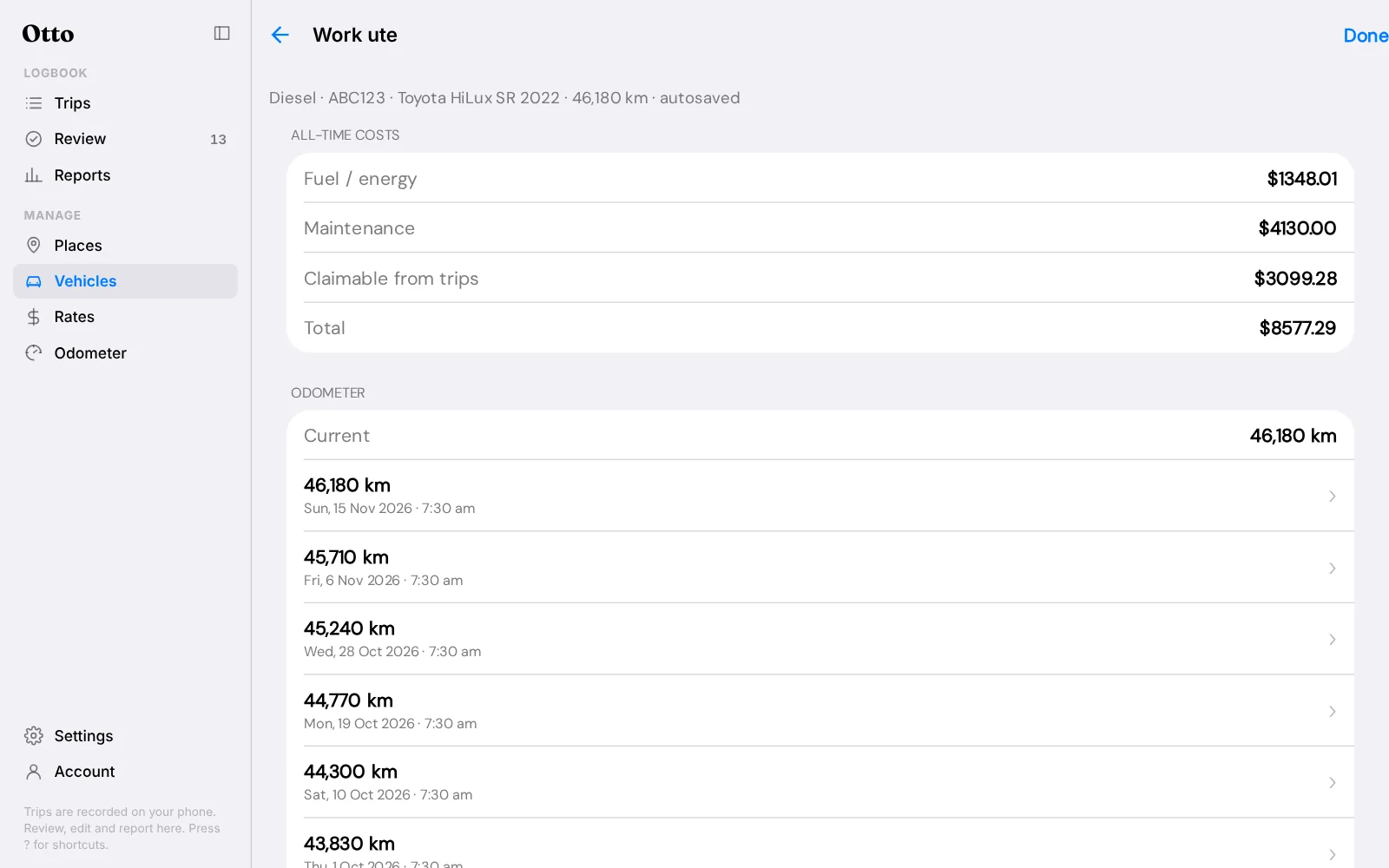
Showing Reports
The web logbook needs you to sign in and be online. It does not track drives, so trips are recorded on your phone.
Imports
Switching? Bring your trips.
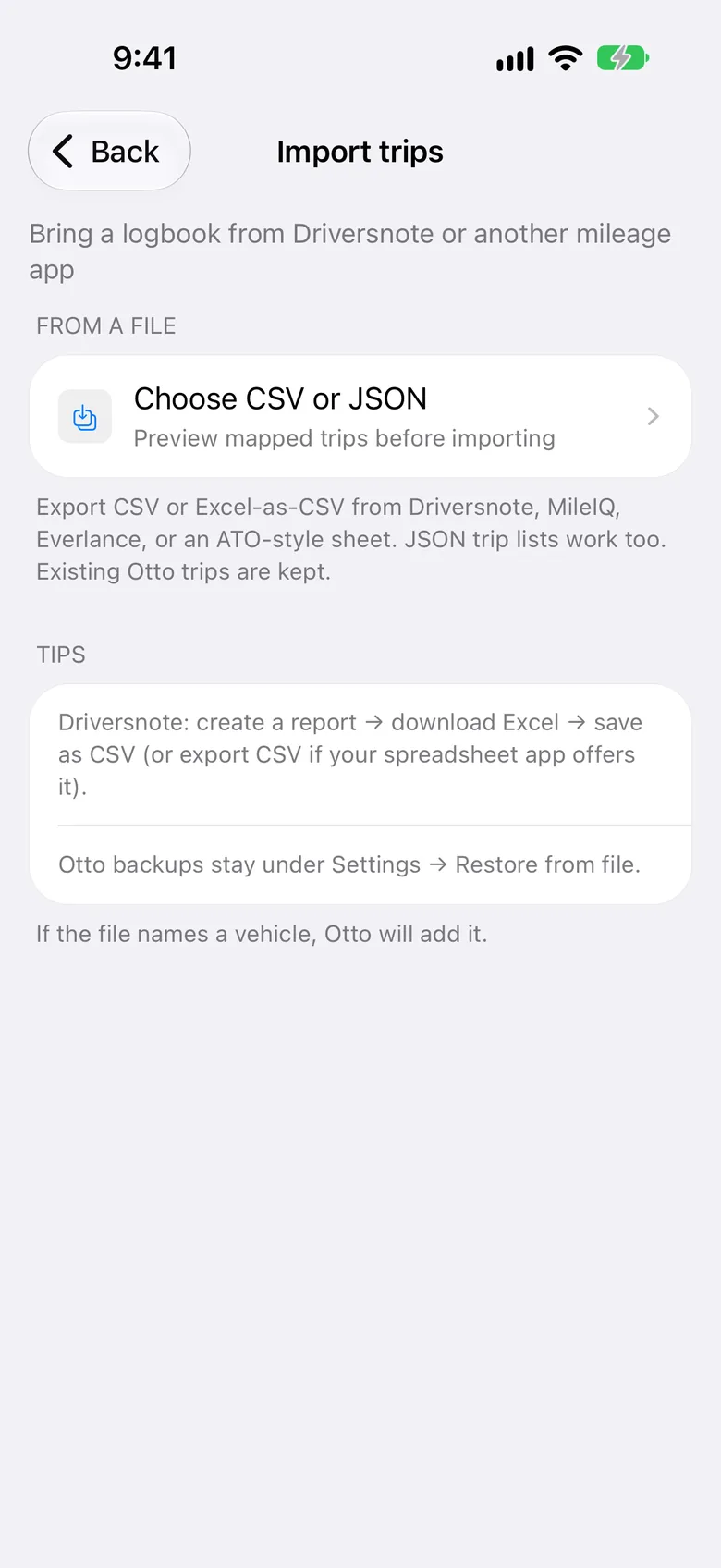
Logkeep can read trips exported from Driversnote, MileIQ and Everlance, plus ATO-style CSV files and other CSV files. Trips already in Logkeep stay where they are.
- Export your trips as a CSV file from your old app. If your trips are in Excel, save the sheet as CSV first.
- Pick the file in Logkeep, on your phone or in the web logbook.
- Check the preview, then import.
Logkeep can also read JSON files and its own CSV files.
What changes with Logkeep.
I tried them so you don't have to. Logkeep brings together the features I liked most, in one app.
The old way
Log one trip from start to end
With Logkeep
Catches the stops in between, so a mixed trip is easy to review.
The old way
Label every trip yourself
With Logkeep
Suggests Business or Personal from your places, work hours and past trips.
The old way
Track kilometres only
With Logkeep
Keeps fuel, servicing, parking and tolls too, and reads your receipts.
The old way
Tap through trips one by one
With Logkeep
Swipe right for Business, left for Personal, or approve a week at once.
The old way
Add up a total at tax time
With Logkeep
Shows your claim growing with every drive.
Take Logkeep for a spin.
Free in beta on iPhone and Android, for anyone in Australia. Every feature unlocked.
iPhone
Through Apple's free TestFlight app.
Get the iPhone betaAndroid
From Google Play. Android 7 or newer.
Get the Android beta
Needs iOS 16.4 or newer, or Android 7 or newer. Things may break, and beta data may be reset before launch. How the beta works